This release of ZIRO Platform is planned for General Availability in August 2026
Complete Management of Teams Auto Attendants
Now, administrators can create, manage, and delete Microsoft Teams Auto Attendants — all from the same intuitive interface you know and trust. Whether you’re in the middle of a migration or already managing Teams Voice, this feature simplifies every step.
No more switching between portals or scripts. ZIRO Platform makes it easy to:
- Set up new Auto Attendants with just a few clicks
- Modify existing configurations on the fly
This is another big step in making Microsoft Teams Voice management effortless.
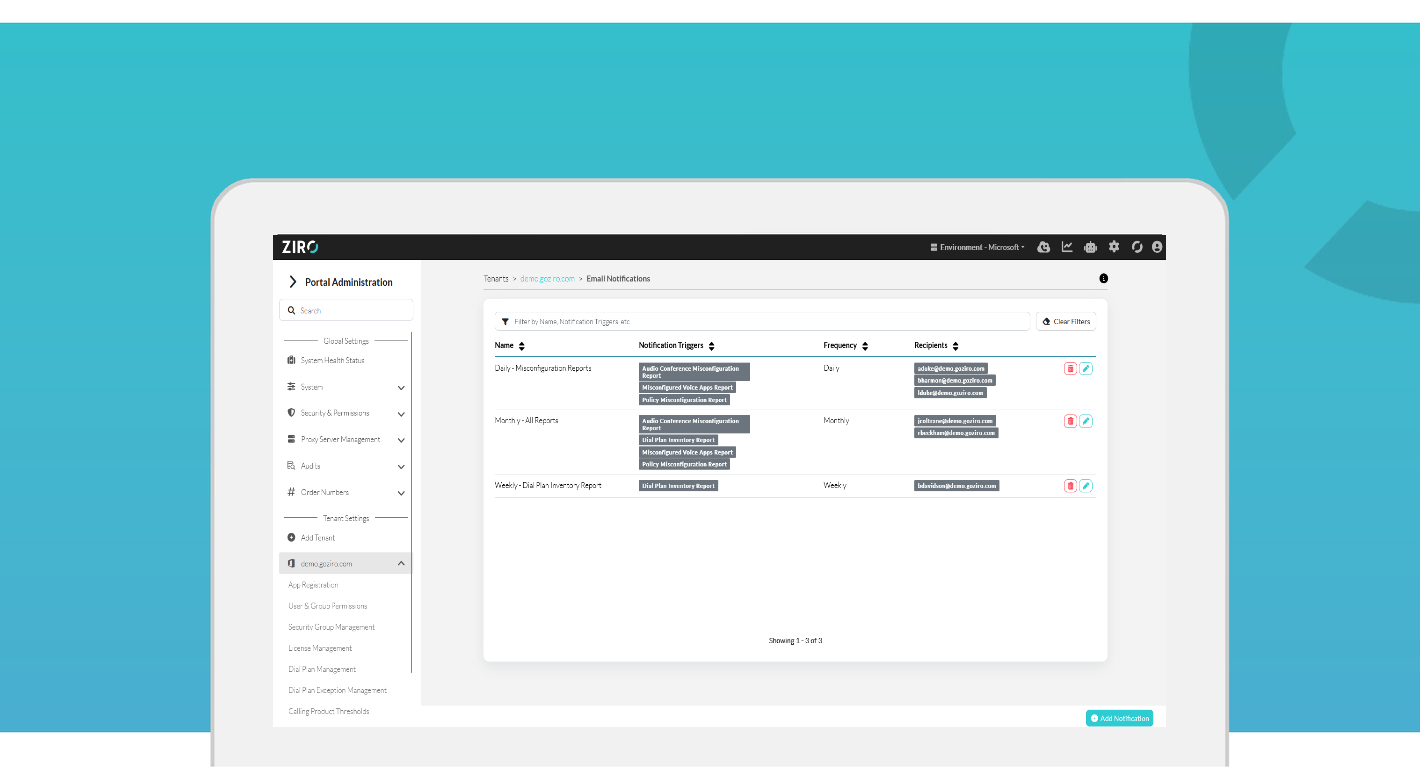
Proactive Email Notifications
ZIRO can now proactively monitor your Microsoft Teams voice environment and sends configurable email notifications when issues arise — so administrators catch Policy, Audio Conferencing, Voice app misconfigurations, and dial plan capacity problems, . Choose your schedule and which reports you want to receive notifications for, and let ZIRO keep watch so you don’t have to.
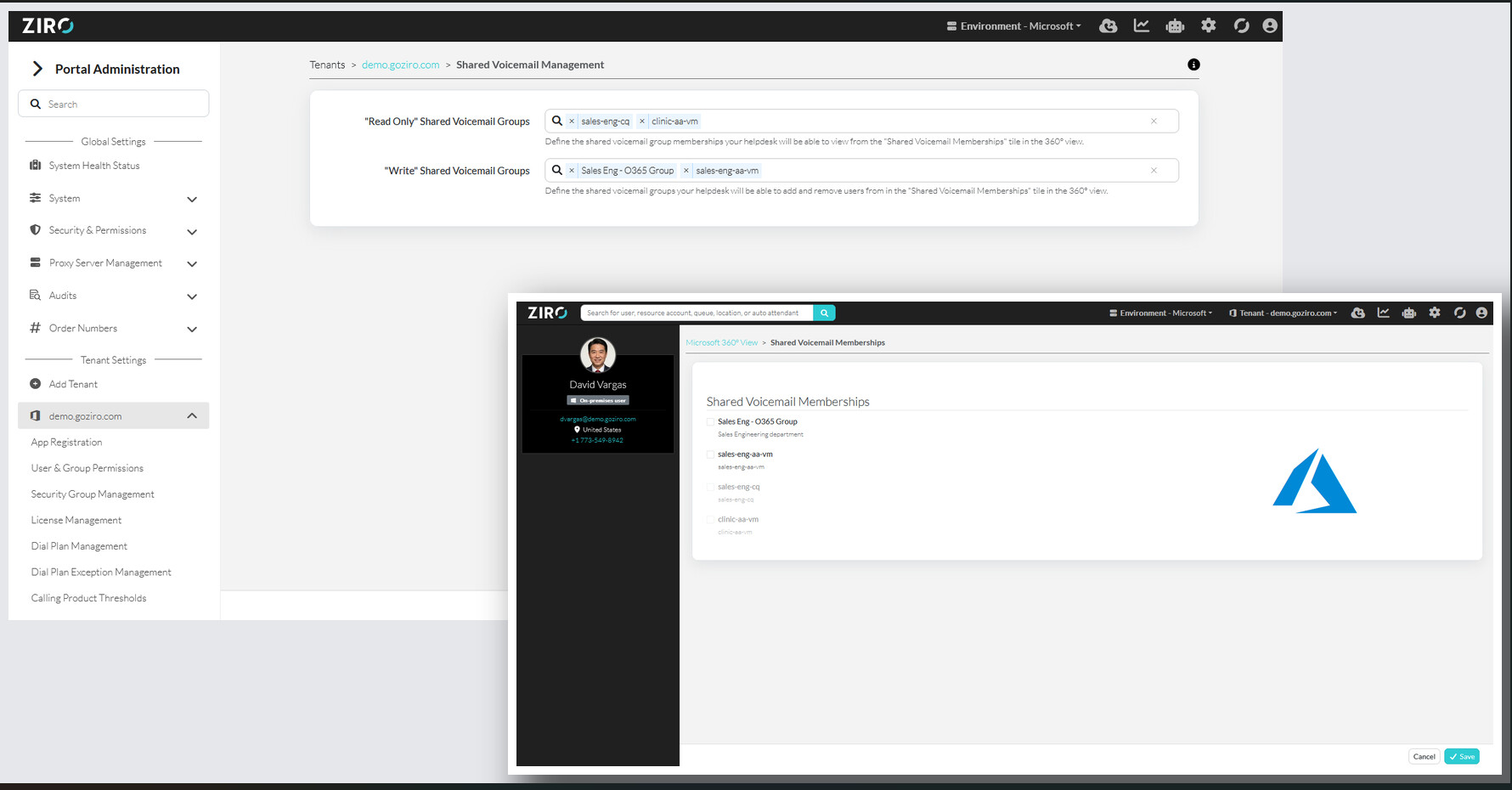
Management of Shared Voicemail Groups (Microsoft 365 groups)
ZIRO now gives telephony admins and helpdesk teams direct control over Shared Voicemail group memberships — no IT admin escalation required. From a dedicated Shared Voicemail Groups tile in ZIRO, admins can view and manage who receives shared voicemails on Auto Attendants and Call Queues.
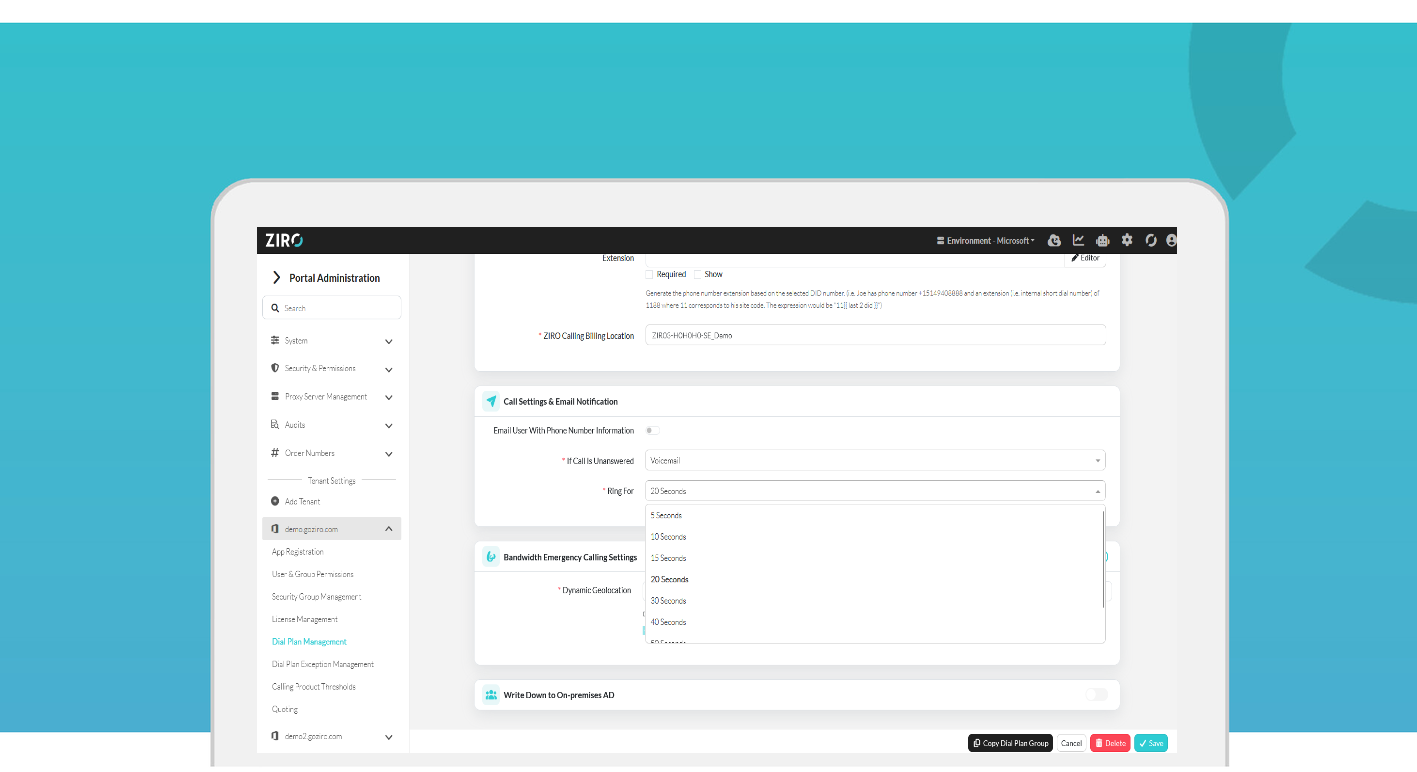
Configurable Voicemail Redirects and Email Notifications on Number Assignment
ZIRO now lets administrators configure voicemail redirect timing and number-assignment email notifications directly in dial plan group settings — giving teams full control over their Microsoft Teams calling behaviour without leaving the platform.
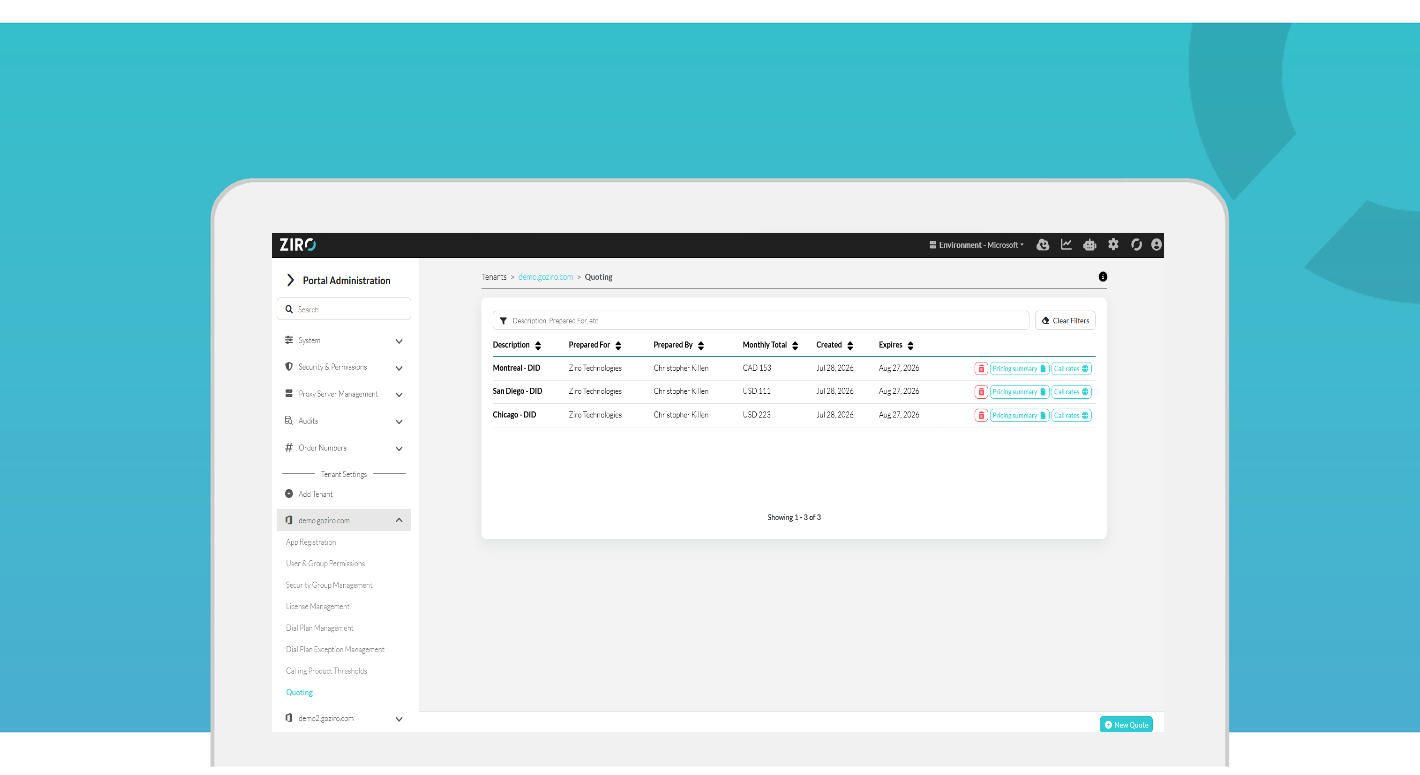
LoopUp Quoting
ZIRO now generates LoopUp Cloud Telephony quotes directly from the platform — giving teams migrating to Microsoft Teams a one-stop place to size, price, and download calling-package quotes per customer.
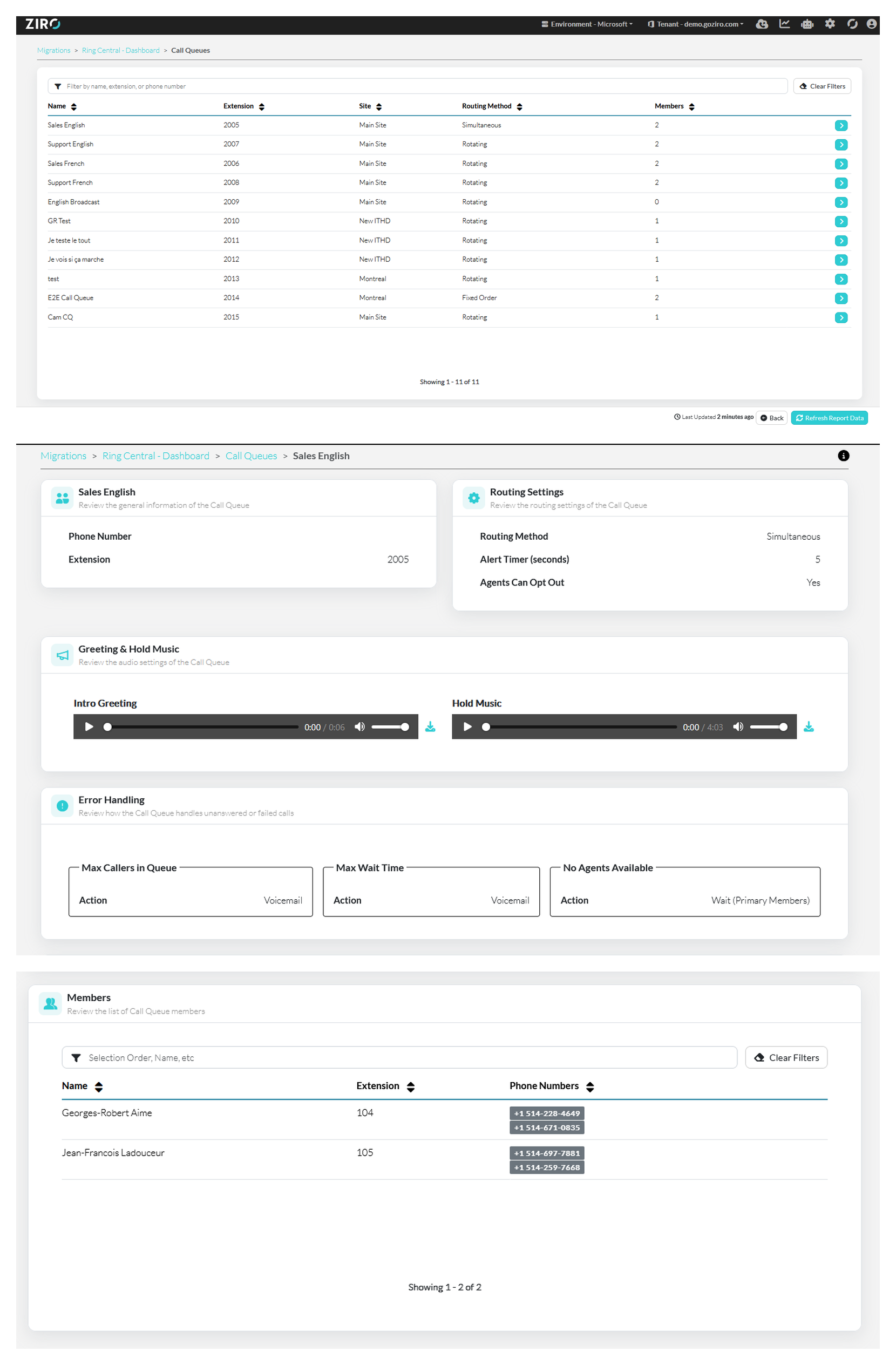
Migration - Ring Central Call Queues and Auto Attendants Reporting
ZIRO now surfaces RingCentral Call Queue and Auto Attendant configuration directly in your migration assessment — giving you a complete picture of your voice routing setup before you move to Microsoft Teams.
Fixed Bugs
- Fixed an issue when changing a license and usage location, on save can produce a error due to duplicate PUT requests
- Fixed an issue where the Audio Conferencing report would fail due to a user with a invalid usage location
- Fixed an issue where users phone numbers would sometimes not be displayed in search results
- Fixed an issue where running bulk jobs would be stuck if ZPM was restarted during its run
- Fixed an issue where resource accounts where wrongly flagged as invalid
- Fixed an issue where the “Update Dial Plan” button in bulk jobs would disappear on save of the job
- Fixed an issue where refreshing a bulk job after saving would cause the form to reset
- Fixed an issue where the PSTN Usage report would fail to generate due to duplicate values in the DB
- Fixed an issue where the Run Now button in bulk jobs was permanently disabled on save of the page